How to Add Aiosell as User in Booking.com
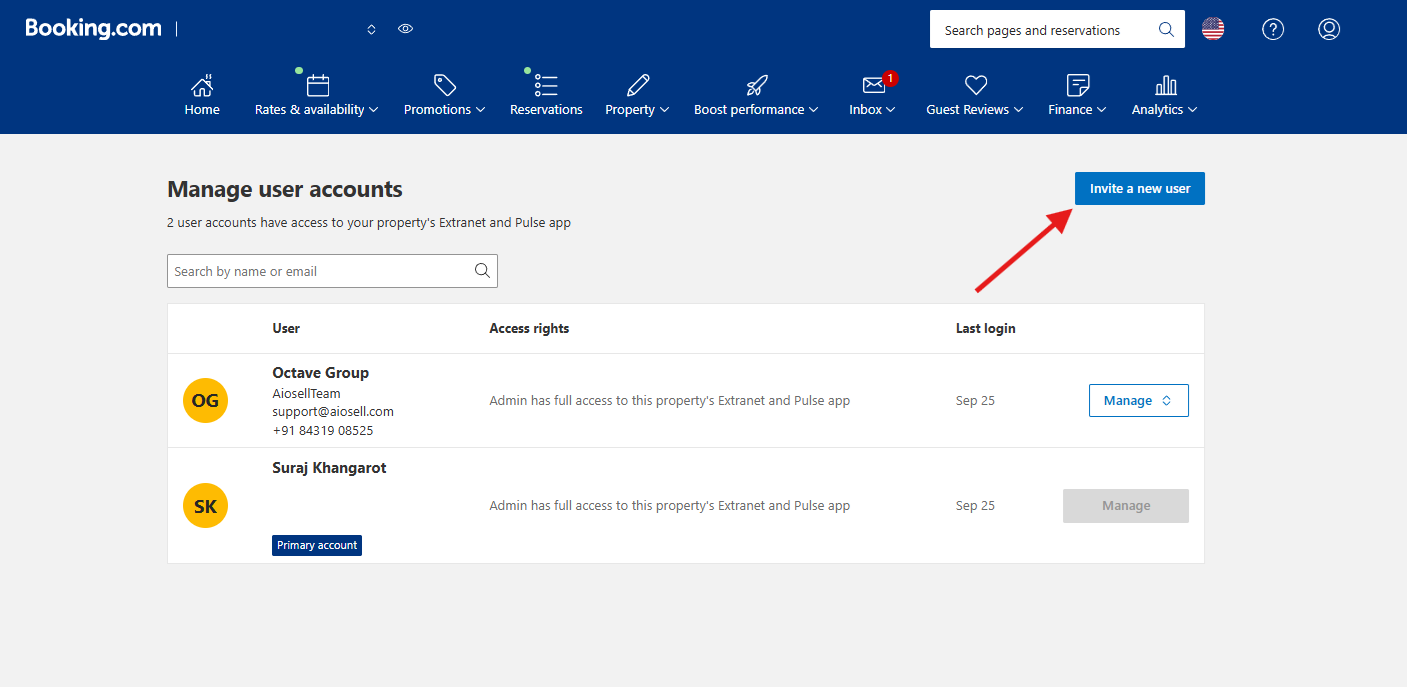
Step1: Click on Create & Manage Users
Step2:Click on Invite a new user
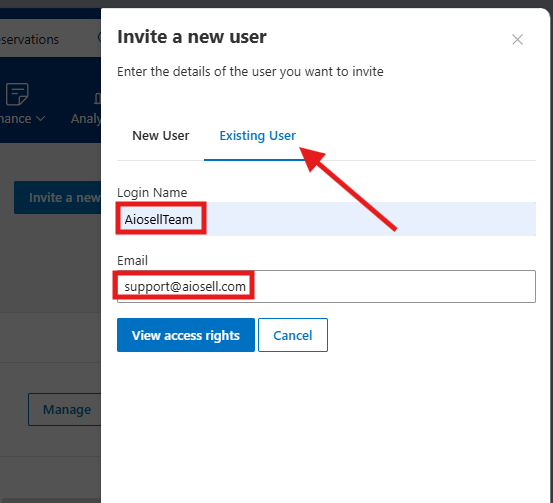
Step3: Fill in the details accordingly in the side panel
Existing User
Login name: AiosellTeam
Email: support@aiosell.com
Related Articles
Aiosell Channel Manager Integration Guide
How to Enable Aiosell as Channel Manager in OTAs: Expedia: https://support.aiosell.com/portal/en/kb/articles/how-to-enable-aiosell-as-a-channel-manager-on-expedia Booking com: ...
How to Enable Aiosell as a Channel Manager on Booking.com
1. Booking.com: Login Link 2. Login to your account using the username & password 3. Once you login to your property account, there are options on the top right corner -- go to that circled icon 4. Click on that icon you will get a drop down – select ...
How to Add Aiosell as a User on Expedia
Step 1: Step 2: Step 3: First Name: Aiosell Last Name: Support Email Address: accounts@aiosell.com
Aiosell New Booking Payload for 3rd Party
Share the endpoint to receive the information from Aiosell System Upon creation of a new booking. { "hotelCountryCode":"IN", "hotelId":"nishant-test-hotel", "operation":"new_booking", "reservation":{ "sourceFields":{ "hotelCode":"nishant-test-hotel" ...
Aiosell REST API Documentation - OTA/Booking Engine to Channel Manager
This guide is designed for Online Travel Agents / Booking Engine looking to integrate with Aiosell Channel Manager. It outlines the required API endpoints, data formats, and workflows for receiving inventory, rates, and posting reservations. ...