How to Add Aiosell as a User on Expedia

How to Add Aiosell as a User on Expedia

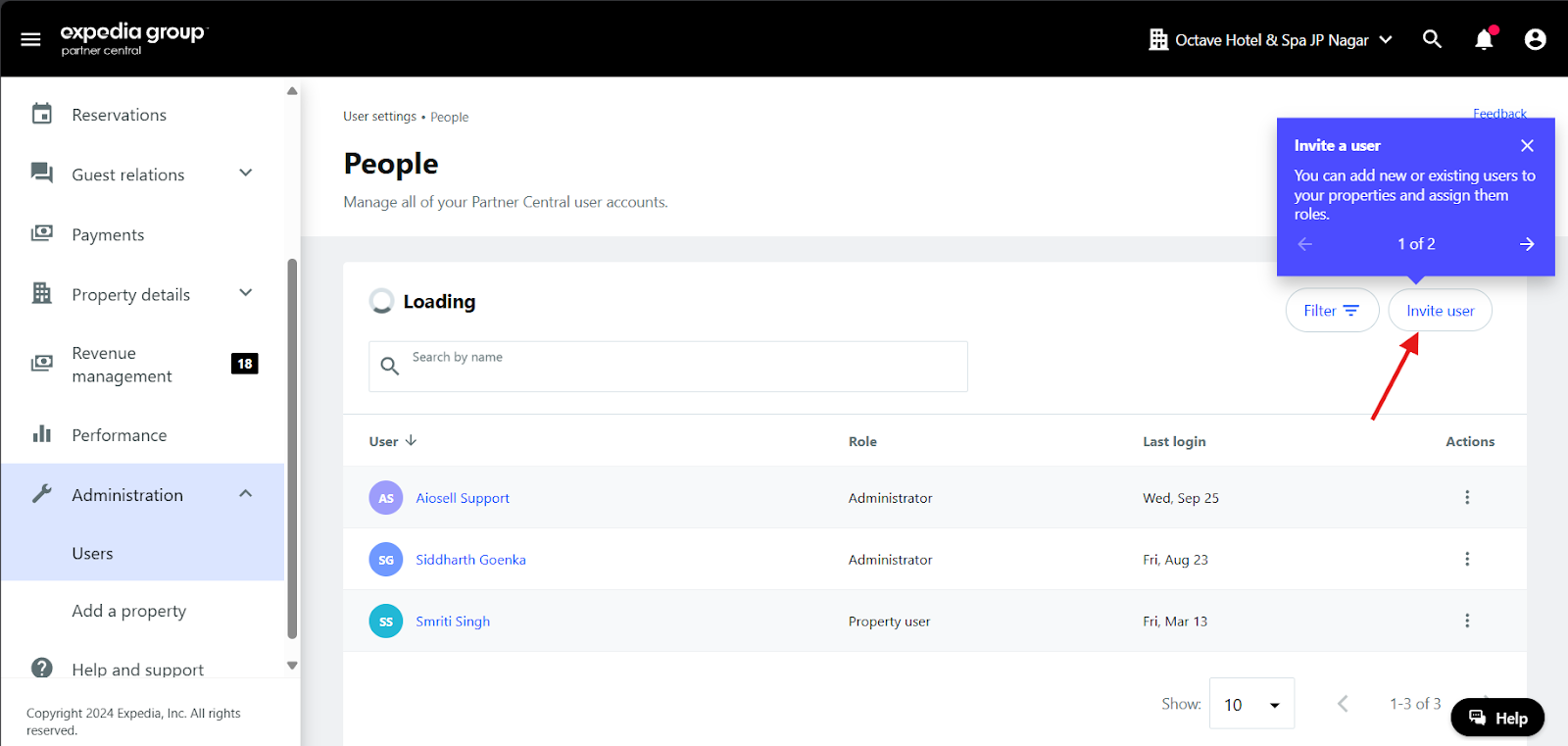
Step 1:


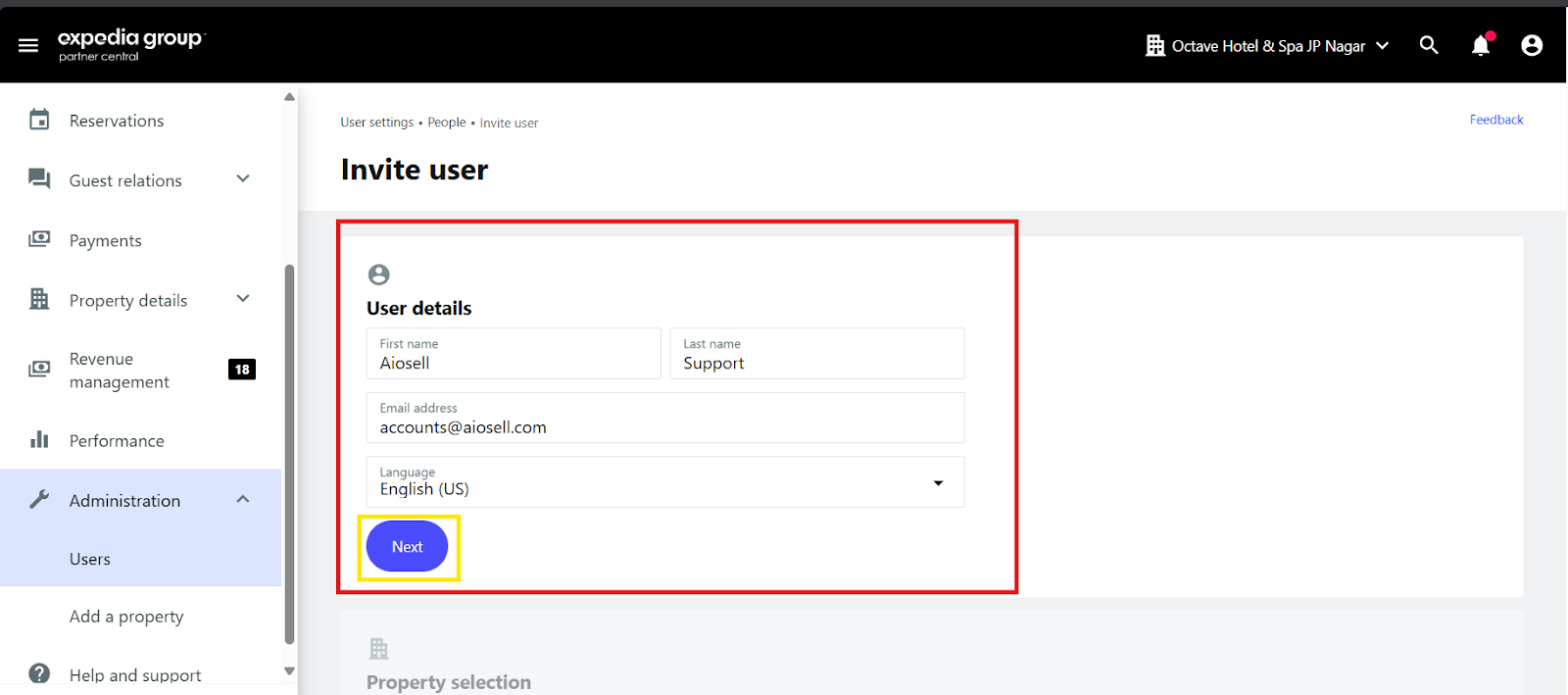
Step 2:


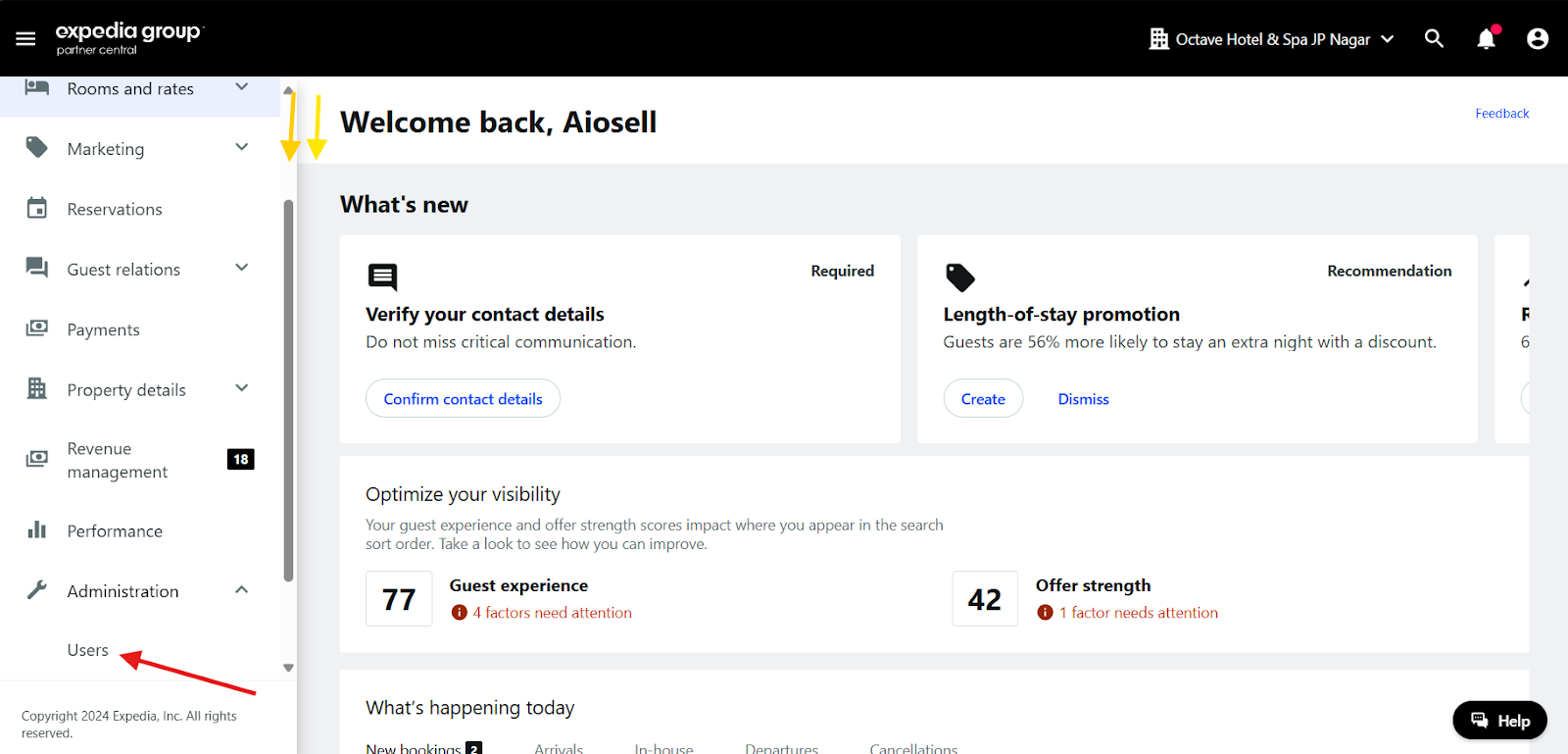
Step 3:

First Name: Aiosell
Last Name: Support
Email Address: accounts@aiosell.com

    • Related Articles

    • Aiosell Channel Manager Integration Guide

      How to Enable Aiosell as Channel Manager in OTAs: Expedia: https://support.aiosell.com/portal/en/kb/articles/how-to-enable-aiosell-as-a-channel-manager-on-expedia Booking com: ...
    • How to Add Aiosell as User in Booking.com

      Step1: Click on Create & Manage Users Step2:Click on Invite a new user Step3: Fill in the details accordingly in the side panel Existing User Login name: AiosellTeam Email: support@aiosell.com Login name: AiosellTeam Email: support@aiosell.com
    • How to Enable Aiosell as a Channel Manager on Expedia

      1. Open the below URL: Login Link 2. Login to your account using the username & password 3. Once you login to your property account there are options on the left side --- go to ROOMS & RATES option 4. You will get a drop down select – CONNECTIVITY ...
    • How to Enable Aiosell as a Channel Manager on MakeMyTrip / Goibibo (GOMMT)

      1. Open this URL GOMMT Login Link & login to your extranet using user & password 2. Once you login to your property account on the left side you can see the panel go to --- PROPERTY INFORMATION – SELECT SETTINGS 3. Select the channel manager as ...
    • Aiosell Checkin Payload for 3rd Party

      Share the endpoint to receive the information from Aiosell System Upon Checkin of a Booking in PMS. { "roomNumId":“nishant-test-hotel-executive super- 103”, "hotelId":"nishant-test-hotel", "user":"sushmita@aiosell.com", "hotelCountryCode":"IN", ...